Your attention, well spent
Let work flow.
Keep your focus.
AI moves ten things forward at once. MuseFocus connects the work, carries the context, and brings one thing at a time into focus.
Built for macOS v0.1.1
Everything moves. Your focus stays clear.
Start with the right questions.
MET-77: a concrete storage-lifetime question before choosing the implementation.
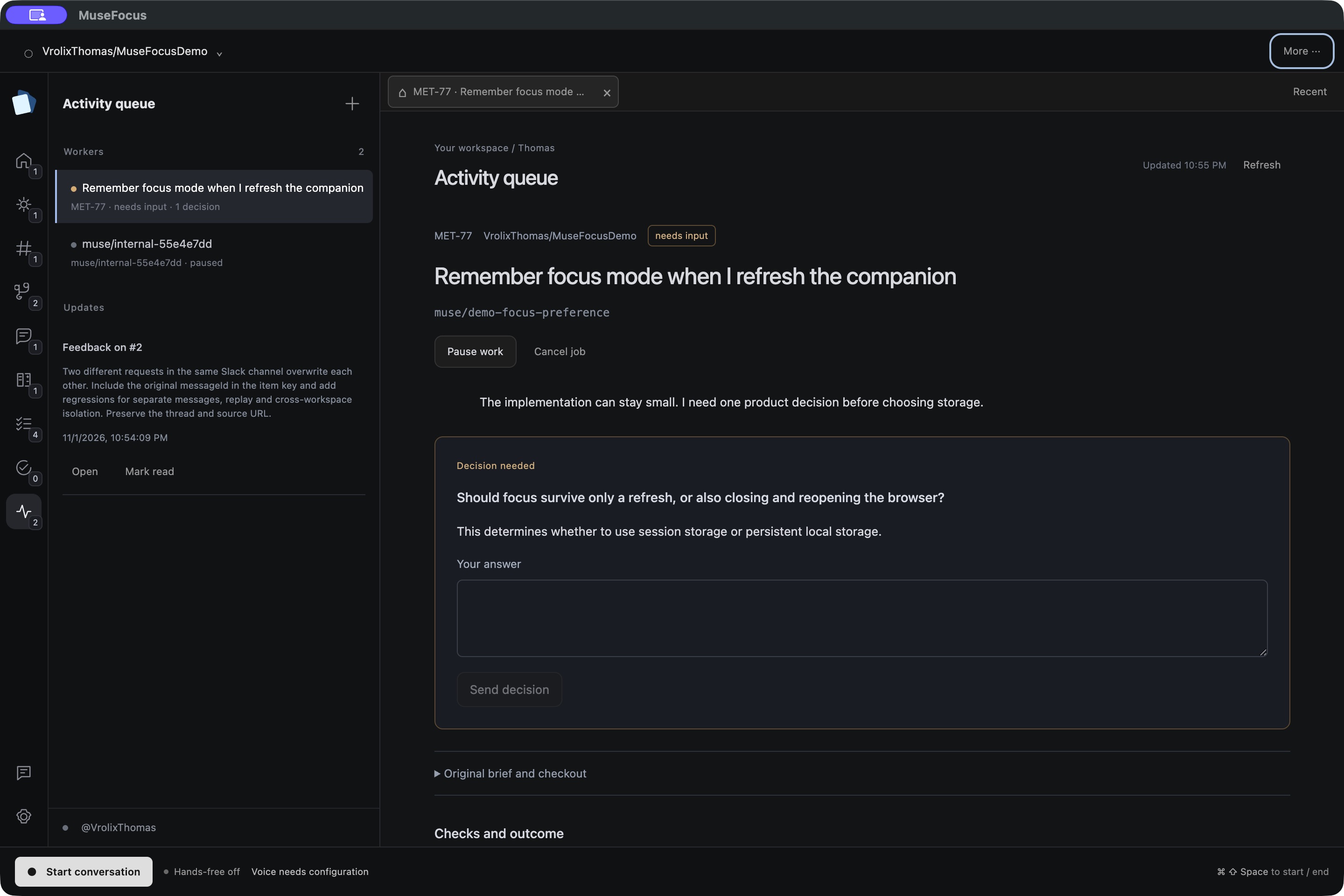
Illustrative walkthrough captured in MuseFocus with prepared demo data. Select a scene or open a capture at full size.
A calmer way to move forward
More work in flight.
Less room in your head.
Tickets in one tab. PRs in another. A Slack message that becomes another task. AI speeds up the work, while remembering, reviewing and following up still falls to you.
 One point of focus.
Plan with a partner.
Build a thoughtful v1.
Start with the tickets you need to move forward. MuseFocus asks the questions that matter before a first implementation, then keeps independent work moving while you focus elsewhere.
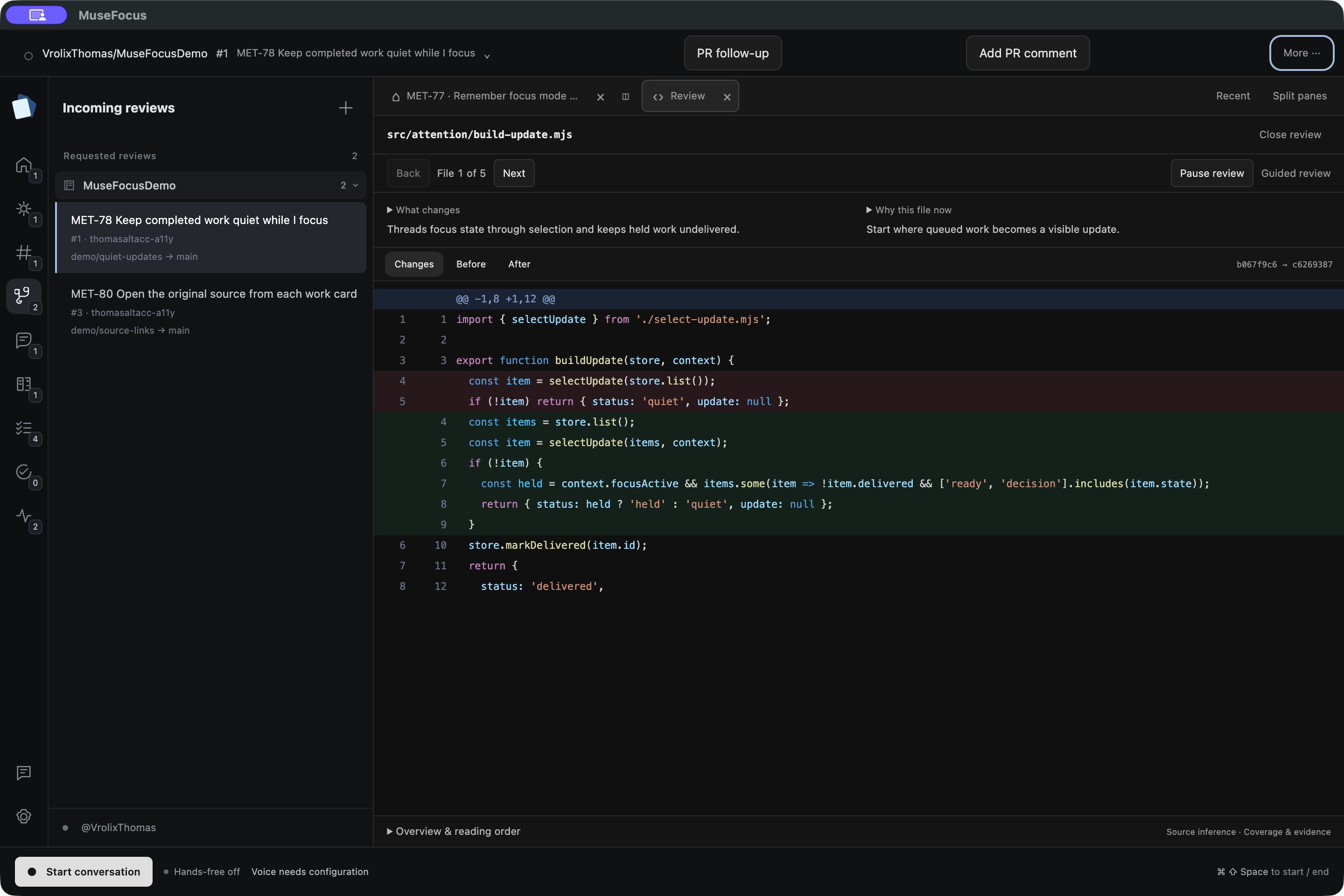
Follow the code.
See the bigger picture.
Review in a logical reading order, from the entry point through the change. Ask how it fits the ticket. Zoom out to the entire flow, request a run, or explore a visual explanation.
Have a concrete improvement? Prepare a proposed fix for the author to inspect.
“Show me the entire flow.”
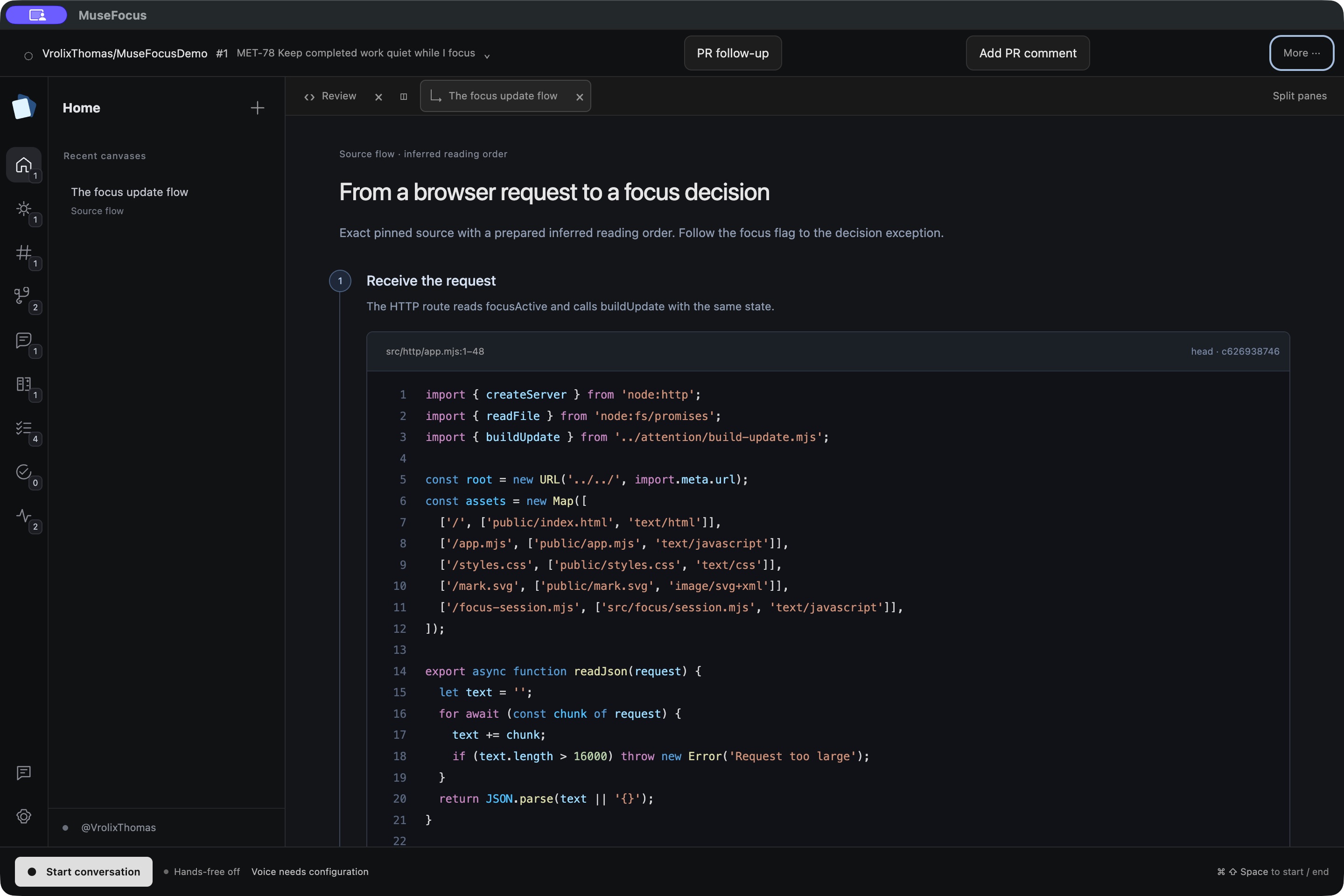
Leave instructions.
Keep your focus.
Done reviewing? Leave explicit conditions for following the PR. MuseFocus can notify you when you’re needed again, or approve within the exact scope you authorize.
Your own work has a place to come back to, too. Ready work, review and approval remain distinct.
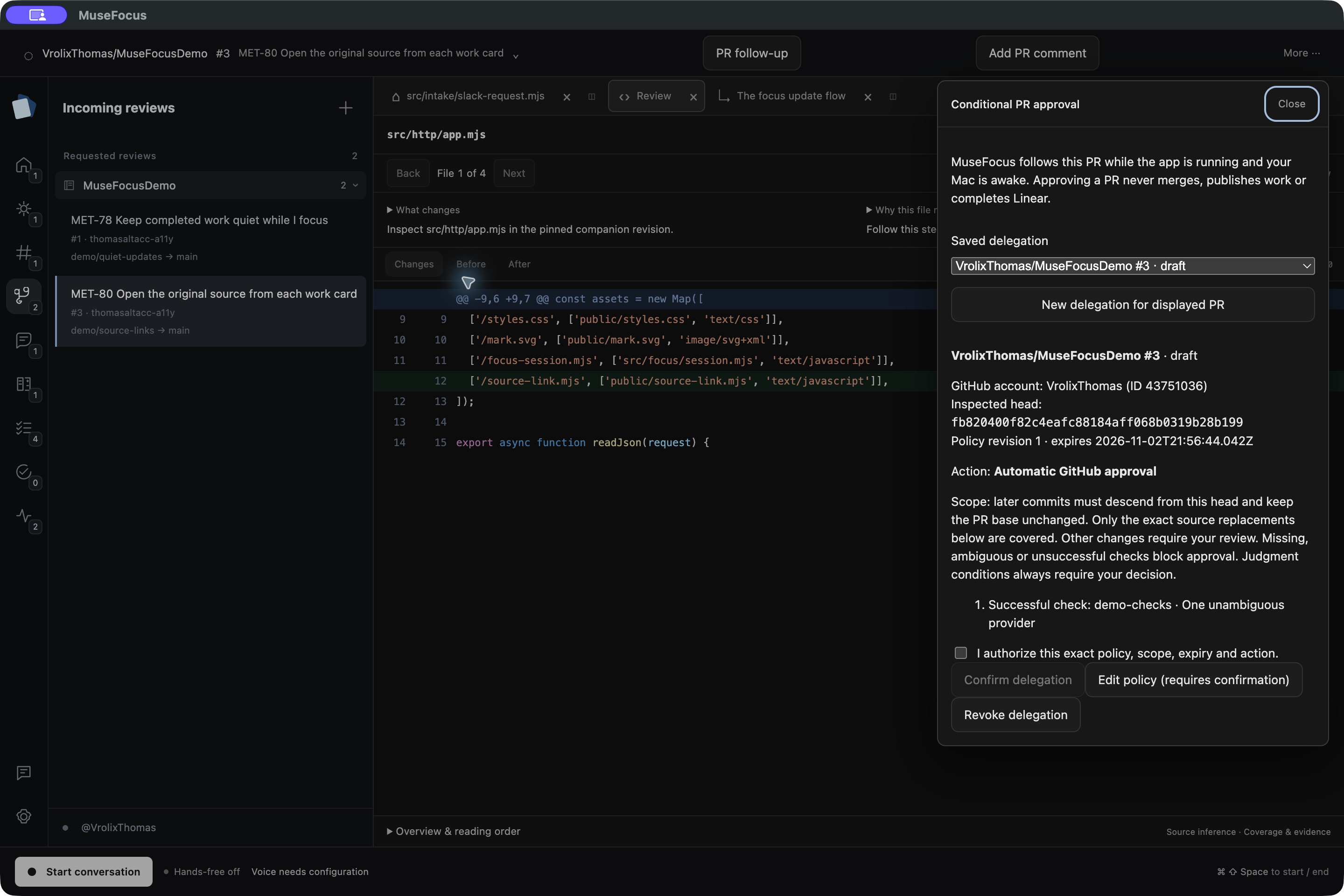
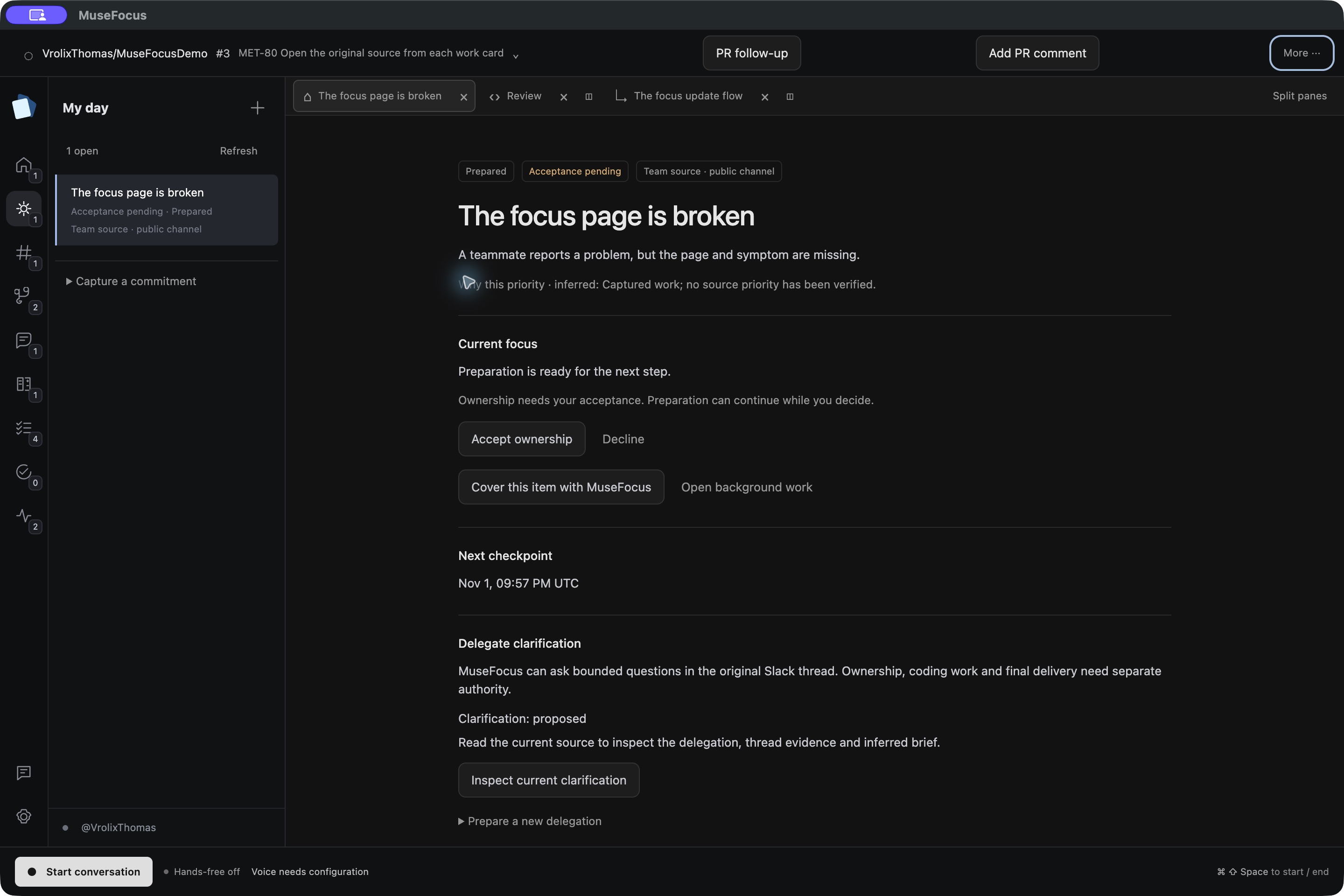
A vague request.
A clearer starting point.
“Can you look into it?” is rarely enough context. Authorize MuseFocus to ask bounded follow-up questions in the original Slack thread, in your name, while you stay with the work in front of you.
A partner throughout your day.
GitHub reviews. Linear tickets. The Slack conversations behind the work. MuseFocus brings them into the same conversation, with the right thing in focus.
 Linear
 Slack
A few things, in focus
Good questions.
What is MuseFocus?
A voice-first workspace that connects your work in GitHub, Linear and Slack. You can plan tickets, guide independent coding work, review changes in context and keep follow-ups in view through one ongoing conversation.
Does MuseFocus approve or send things on its own?
Only within a scope you explicitly authorize. Conditional PR approval and Slack clarification have their own permissions and boundaries. A ready change is not a merge, a draft is not a sent message, and you can pause or revoke a delegation.
Do I need to use voice?
Voice is available throughout the workspace, and typing is available when you prefer it. The website shows captures from the actual desktop app using prepared demo data; its controls select screenshots and do not access your microphone or accounts.
Where does background work run?
The current app runs coding jobs in separate workspaces on your Mac. Your Mac needs to stay awake and connected for that work and its follow-ups. Hosted always-on execution is not part of this version.
Where can I get the latest version?
The download section links to the macOS installers attached to the latest public release on GitHub. If an installer is not available yet, you can follow the public repository and check its releases. New releases appear here automatically.
Your attention
is the point.
Give it to the work that needs you.
Latest release · v0.1.1